 wr1t3r
Write the long thing.
Publish it. Keep it yours.
wr1t3r is a writing app for stories, books, journals and notes. Plan scenes on a storyboard, read the whole draft as one document, keep a day planner next to it, and turn the notes you choose into a website you can put on Neocities. Every note is a plain Markdown file in your Dropbox, so nothing is locked in and nobody else holds your work.
Try it free for 14 days Buy for $20
Works in any modern browser on Mac, Windows, Linux, iPhone, iPad and Android. Works offline once it's open.
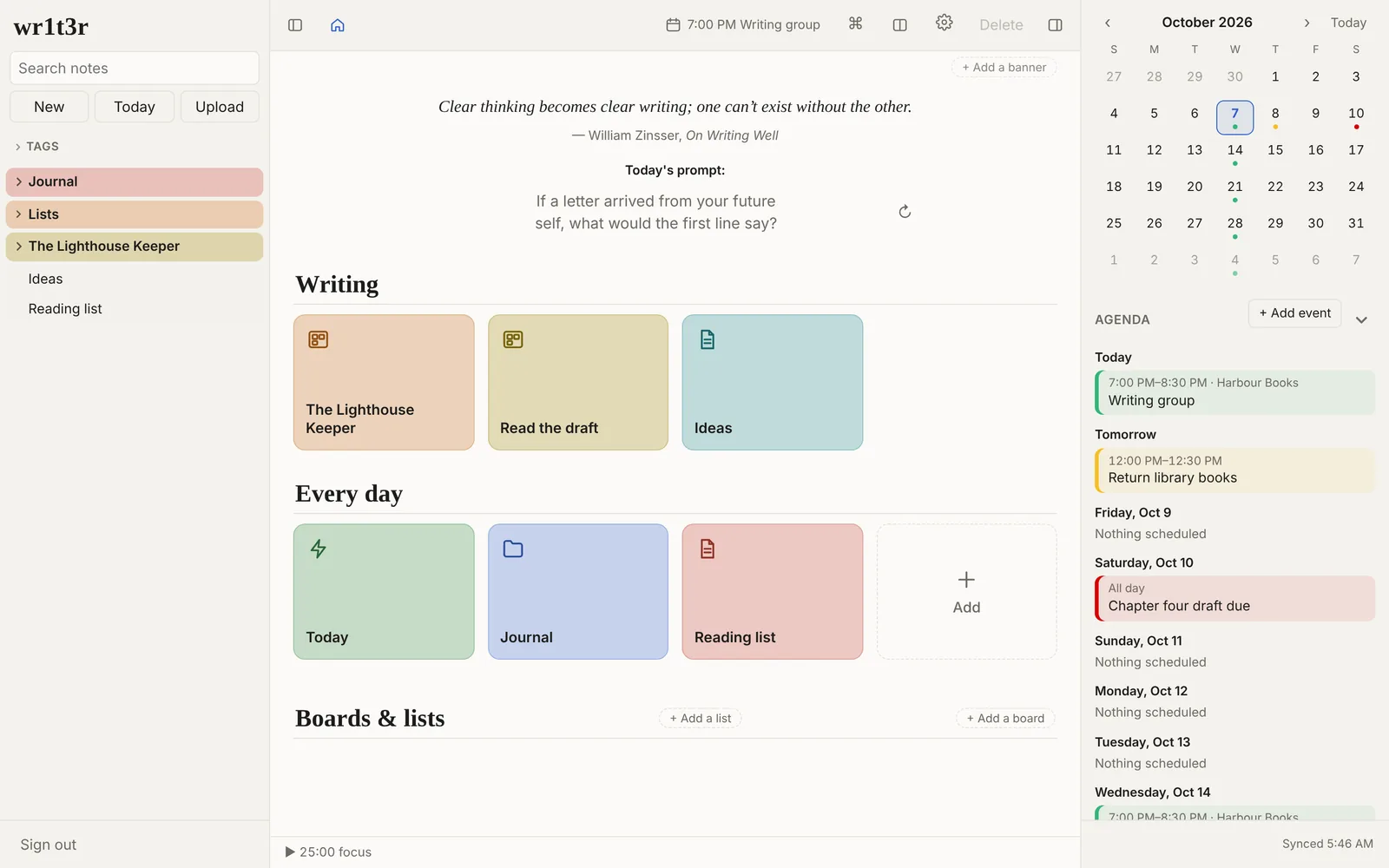
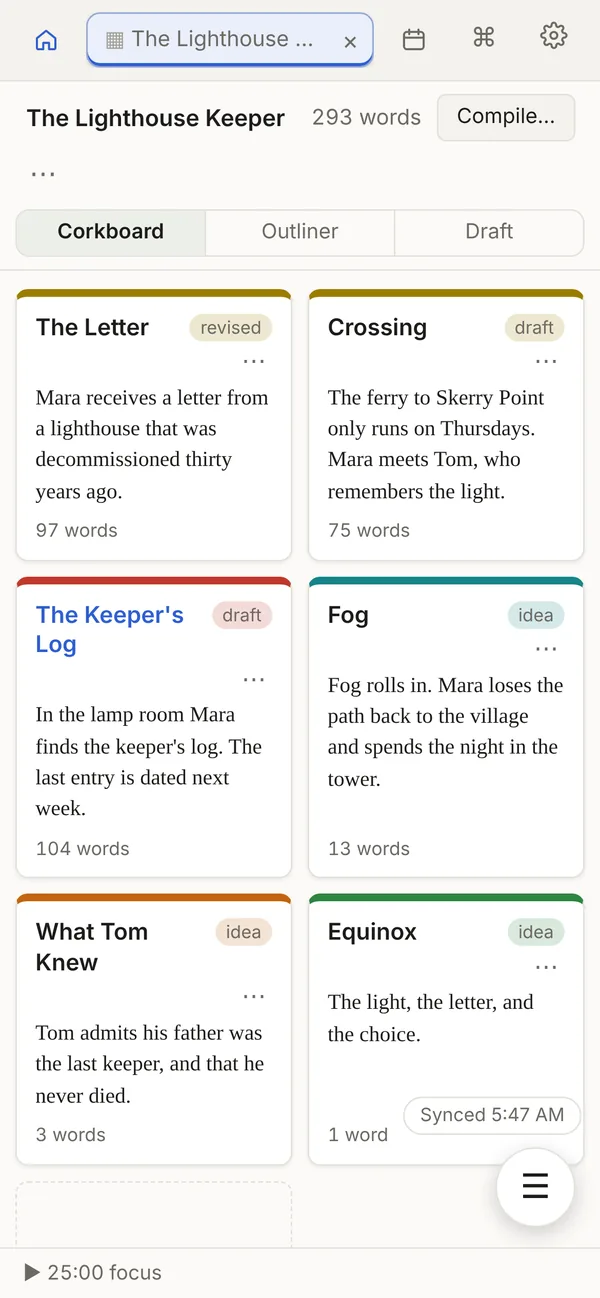
A storyboard for your scenes
Start a short story, novel, essay or script with one button and its folder comes ready with starter notes. Each scene is its own note. Lay them out as index cards on a dot-grid page with a synopsis and status, drag them into order, and color them by point of view or thread. Switch to the outliner to see word counts and status in a table.
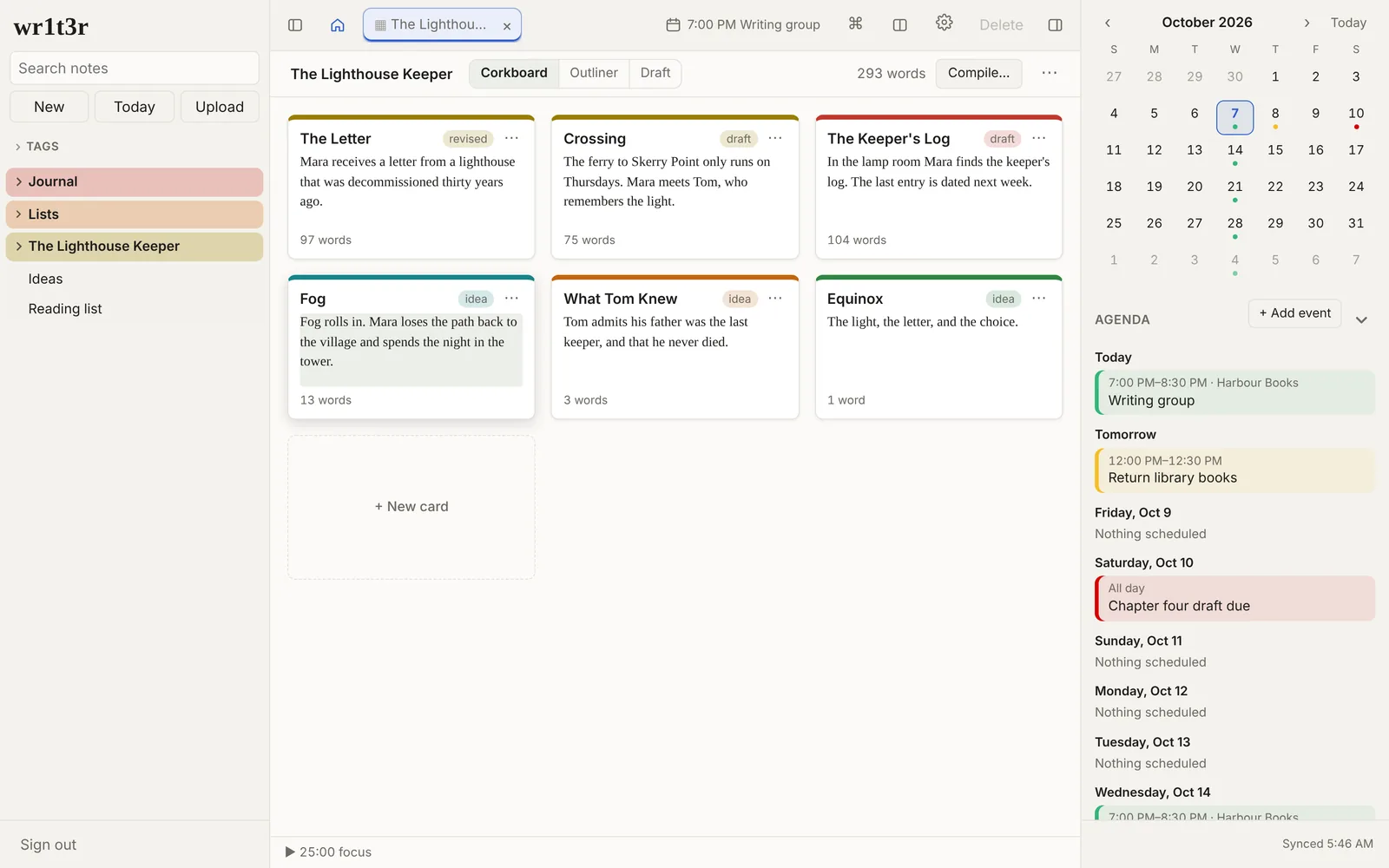
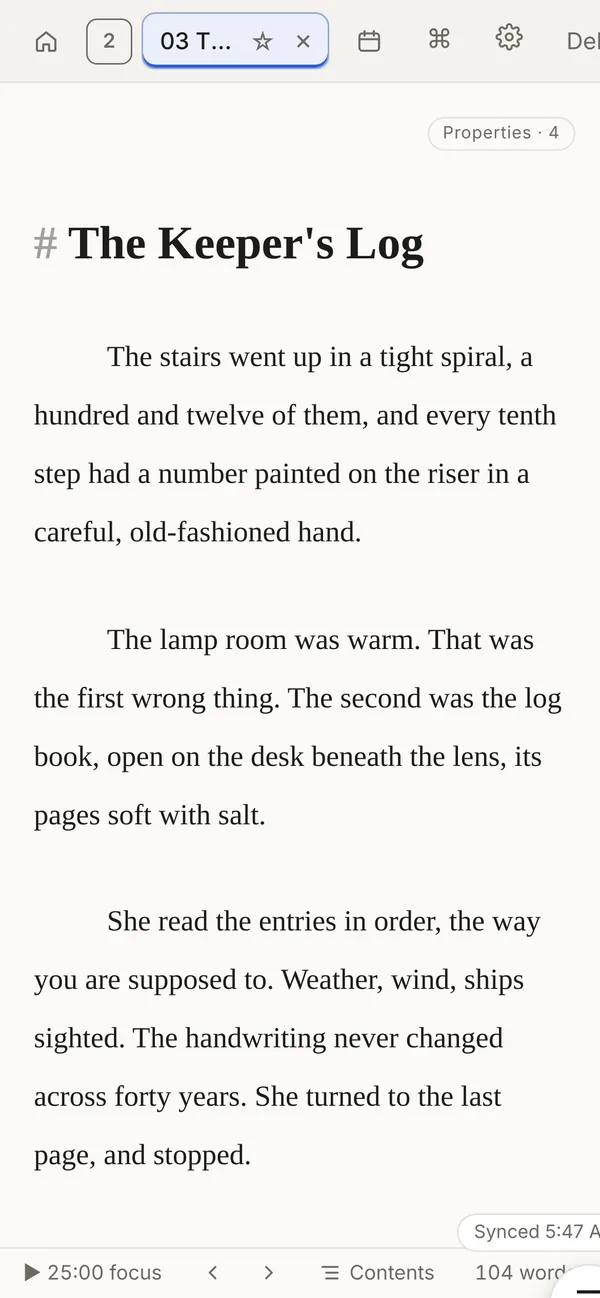
Read the whole draft as one document
The Draft view stitches a folder of scenes into one long page you can read and edit straight through. When it's done, compile it to a single Markdown, Word, HTML or PDF file, formatted as a manuscript.
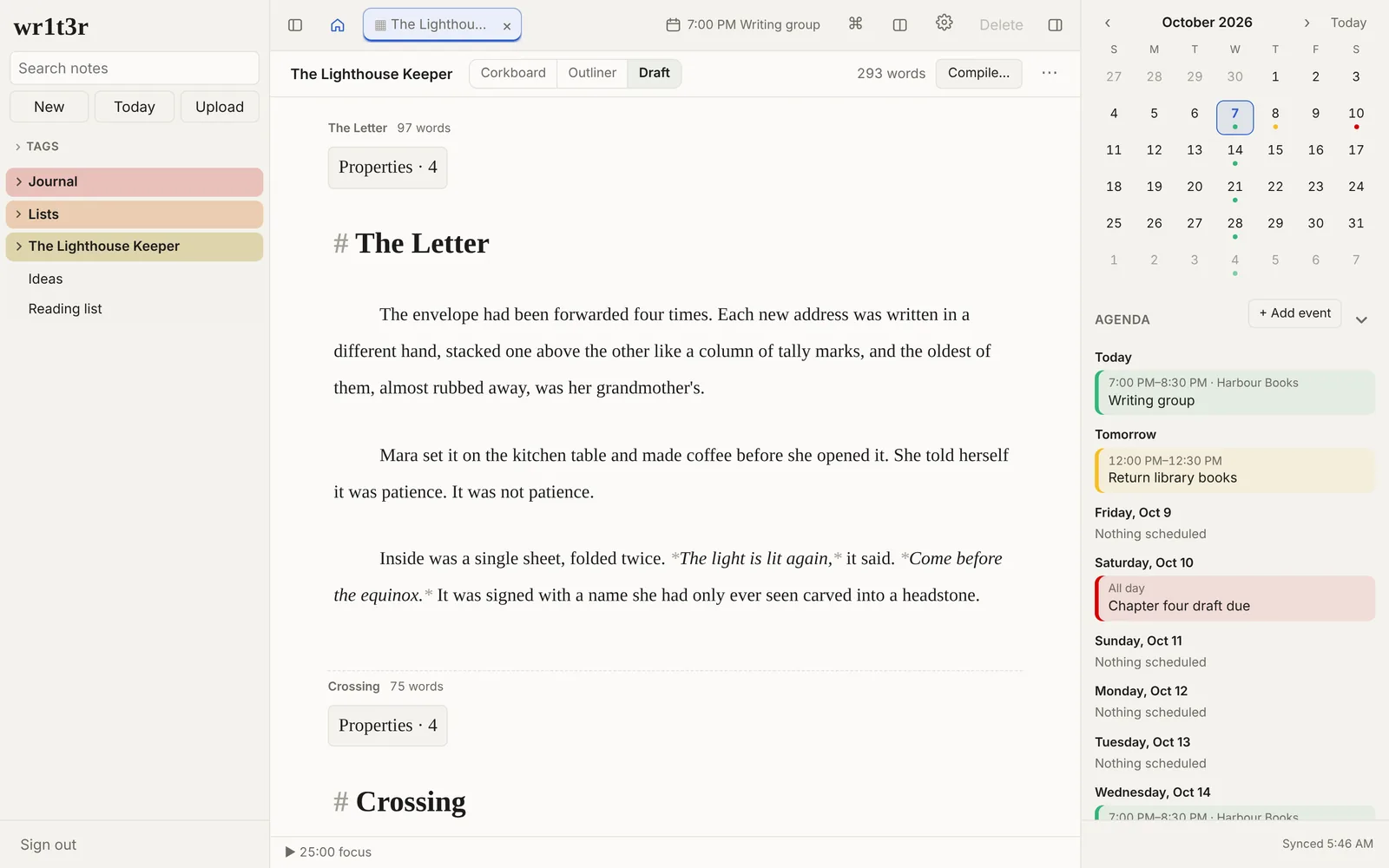
An editor that stays out of the way
Markdown with a formatting toolbar, a / menu for headings, lists, tables and checklists, [[links]] between notes that follow renames, footnotes, tags, focus mode, a writing timer and word goals. Grammar checking and dictionary lookups run on your device.
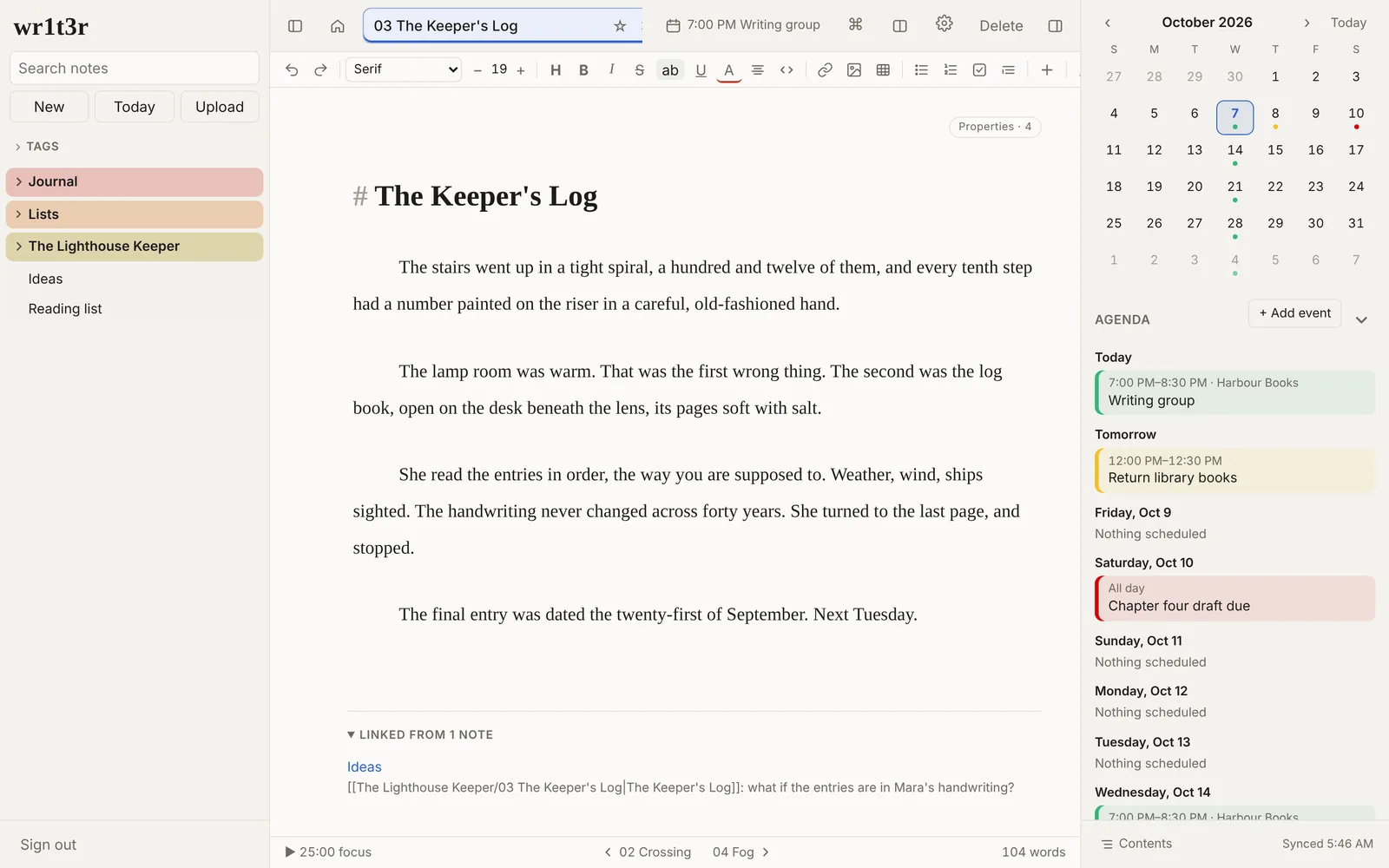
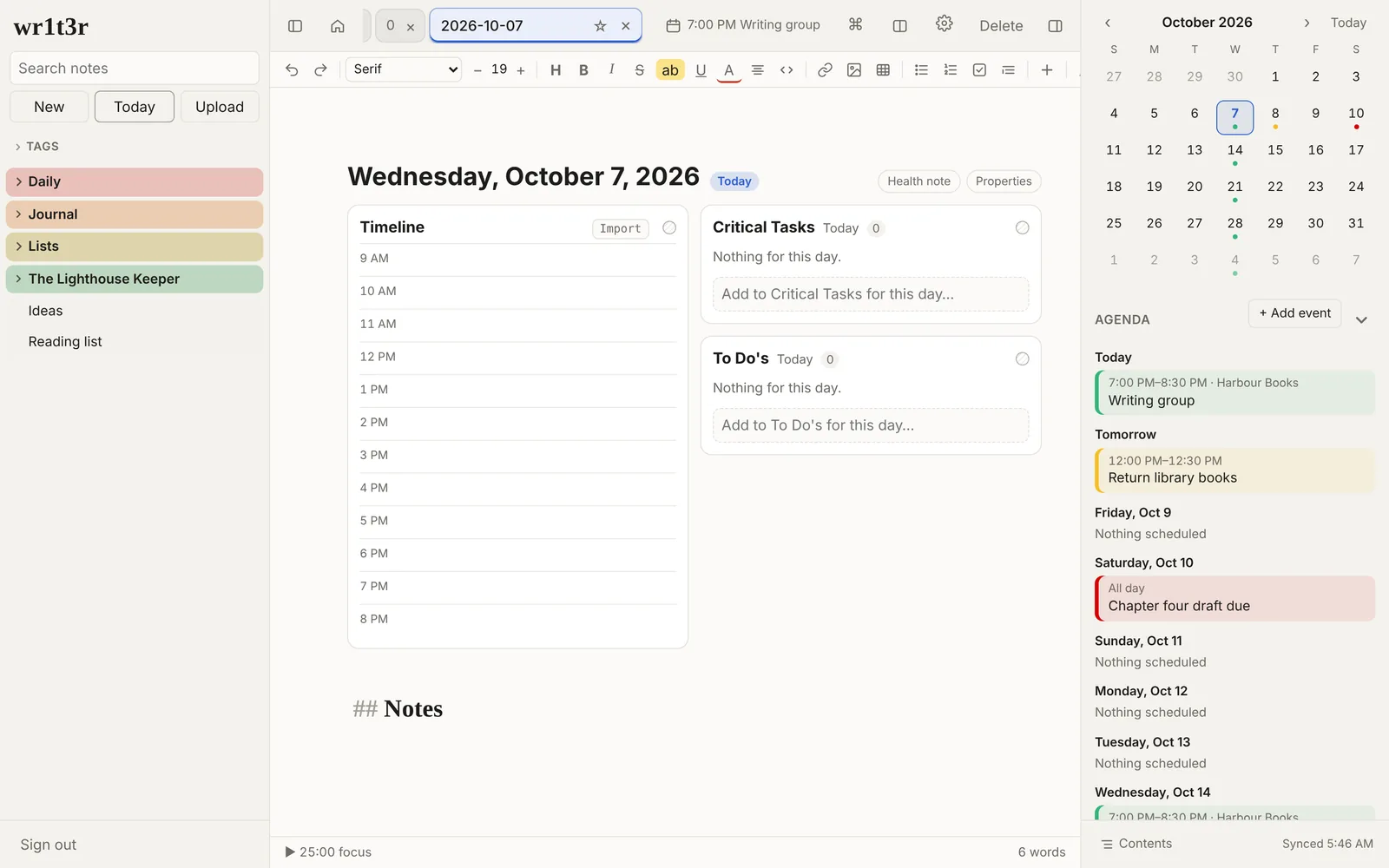
A day planner next to the writing
The Today button opens a note for the day with your tasks, a timeline and the calendar. Tasks with a time remind you. The calendar lives in your notes too, so it syncs with everything else.
On your phone too
Add wr1t3r to your Home Screen and it opens like an app. Notes sync through your Dropbox, so the scene you wrote on the train is on your laptop when you get home.
Publish a website from your notes
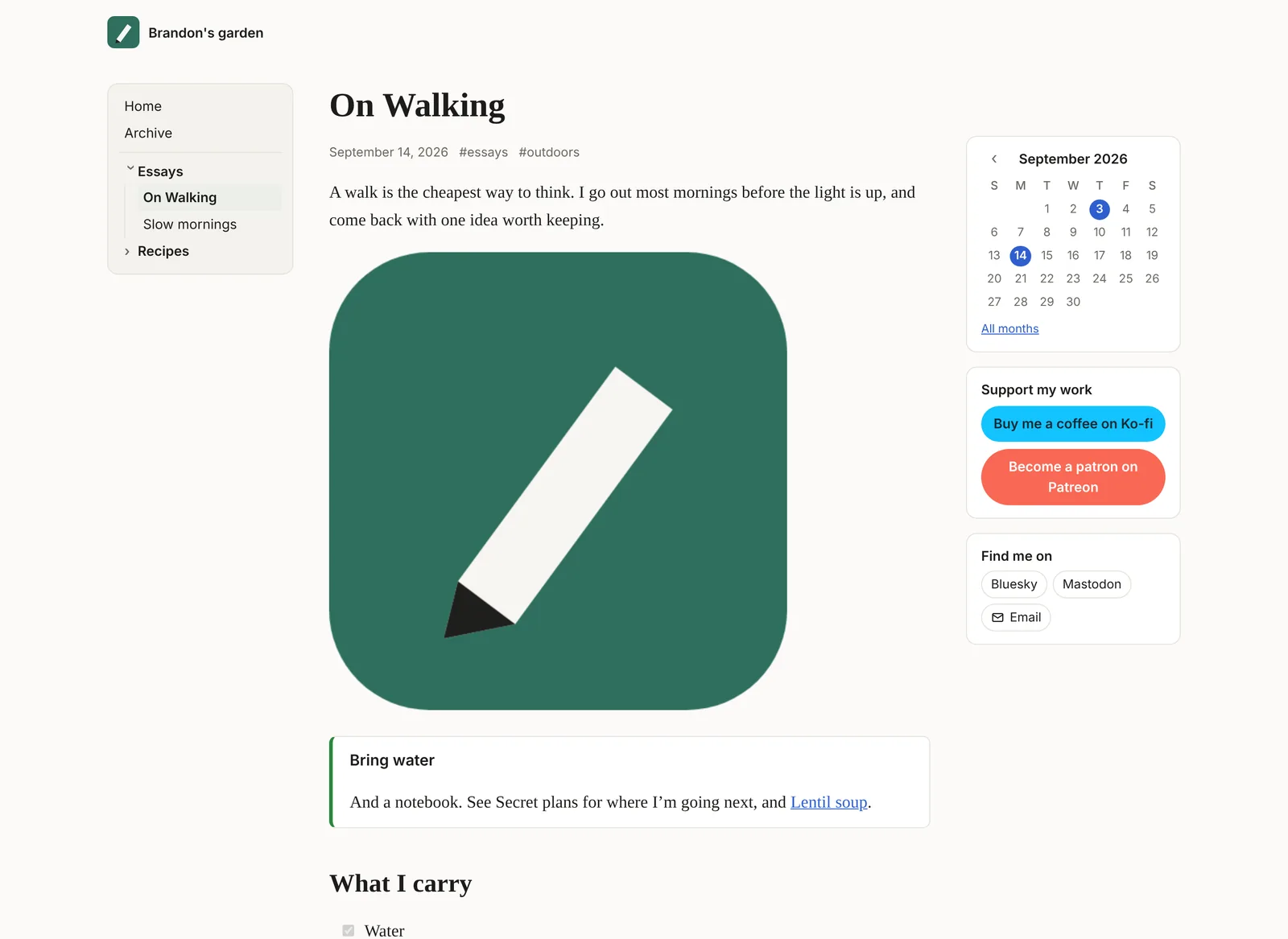
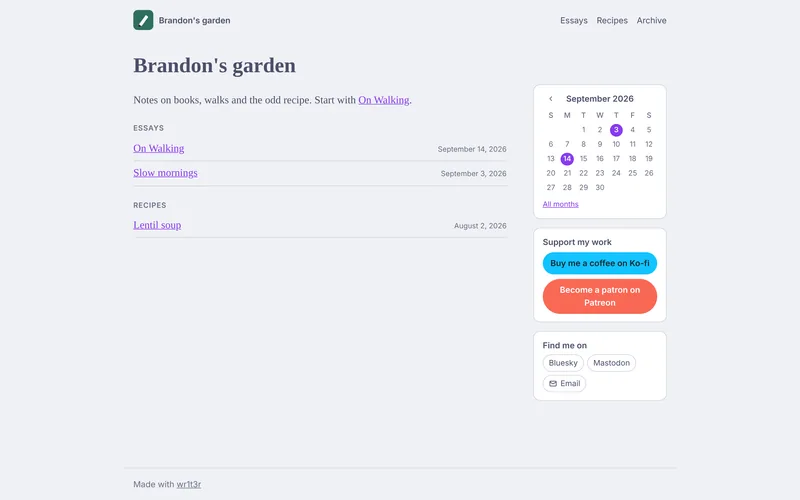
Click the globe on any note to publish it. Export as website turns every published note into a finished site, in your colors, packed in one .zip. Drop it on Neocities, GitHub Pages or any web host. No server, no wr1t3r account, no monthly fee.
- Only what you choose. Notes go on the site when you publish them. Everything else stays private in your Dropbox.
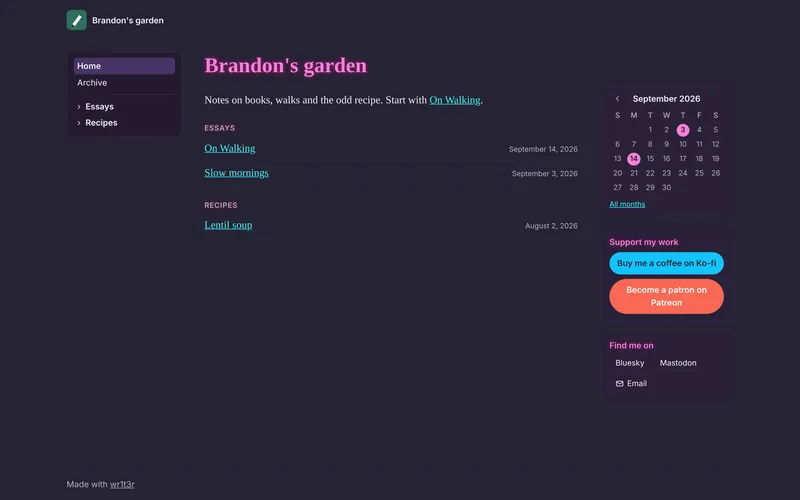
- Two layouts. A menu across the top, or a notebook-style sidebar with folders that open and close.
- Your name and logo. A site title, a logo from your notes, and a footer line.
- Get paid for your work. Ko-fi and Patreon buttons in the sidebar, or a link to any shop or tip jar.
- An archive by month. A calendar in the sidebar and a page for each month, for notes with a date.
- Find me on. Links to Bluesky, Mastodon, Instagram and the rest, plus an email link written so spam bots have a harder time reading your address.
- Share and reply. A share button on every post. Link a post to Bluesky and its likes and replies show on your page.
- Made for Neocities. Plain pages with links that work on any host, and a preview before you download.
One button, right in the toolbar
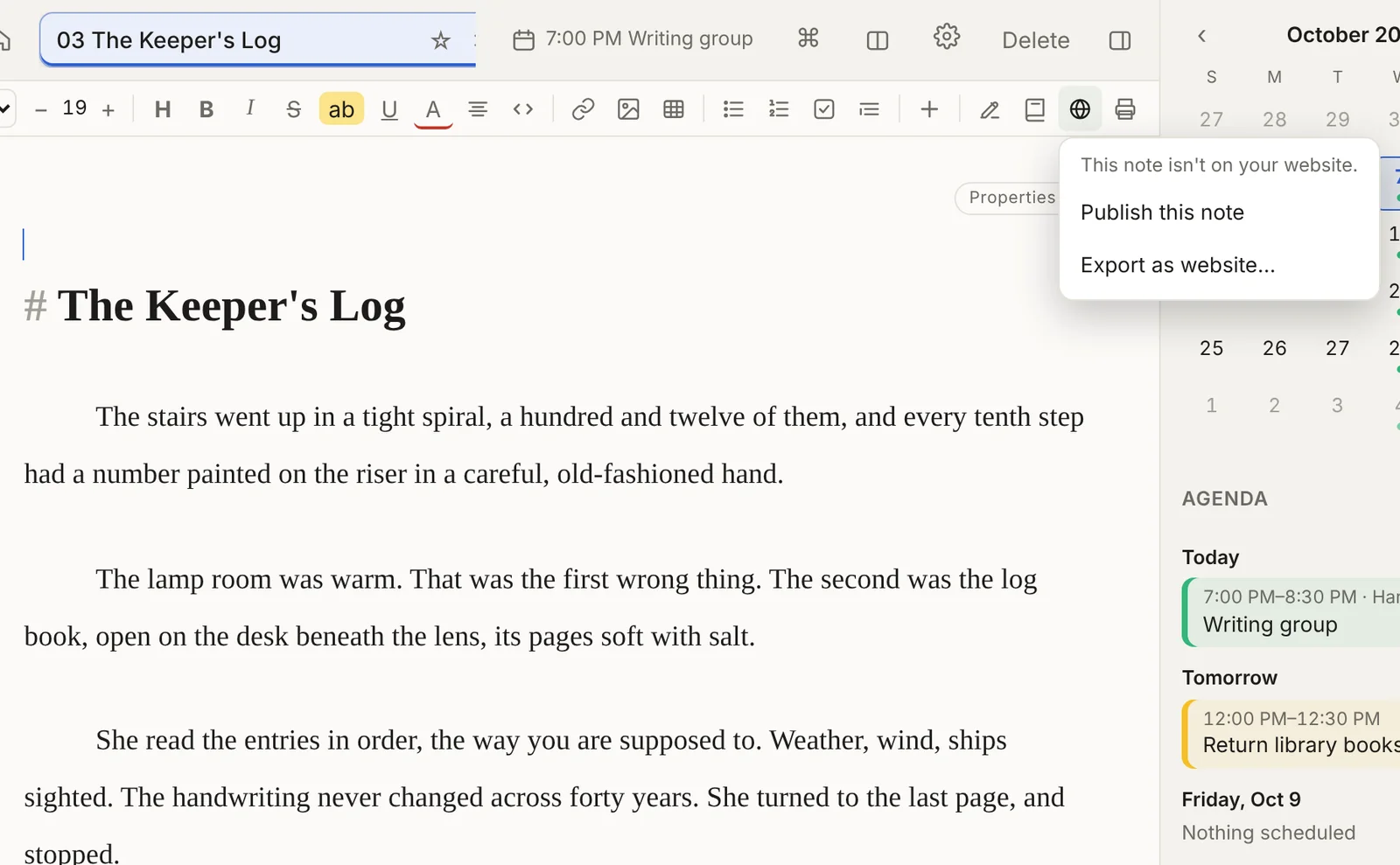
The globe lights up when the note you're on is published. Click it to publish or unpublish, or to open Export as website and see the whole site before you download it.
Twelve color themes, light and dark
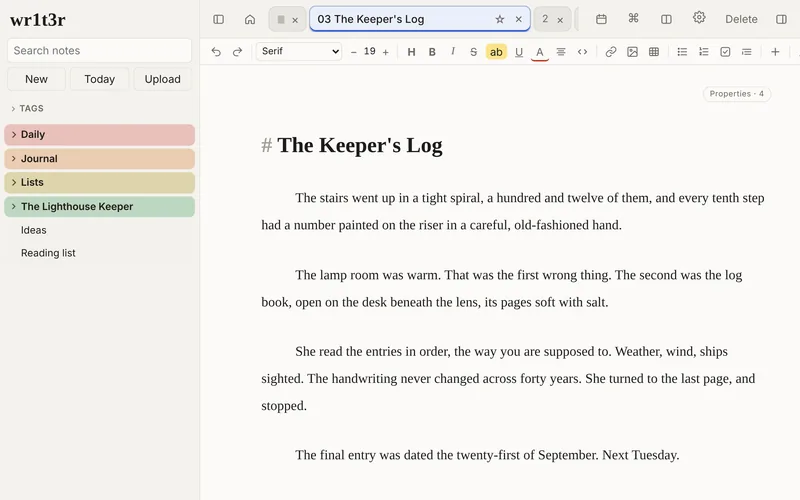
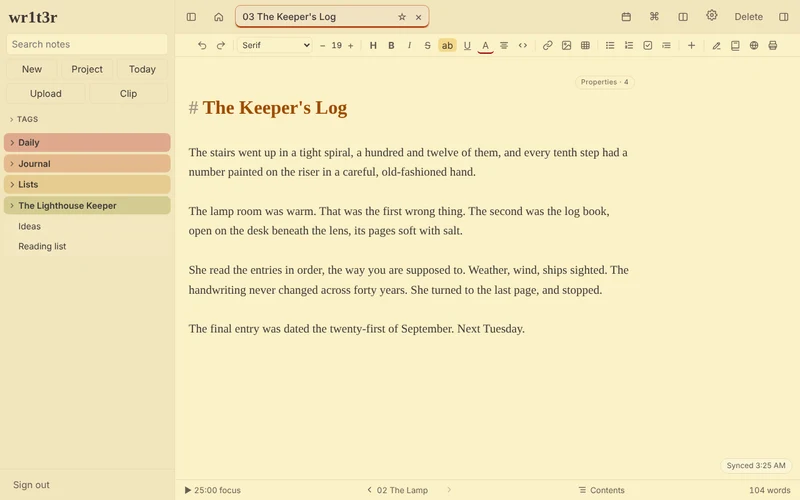
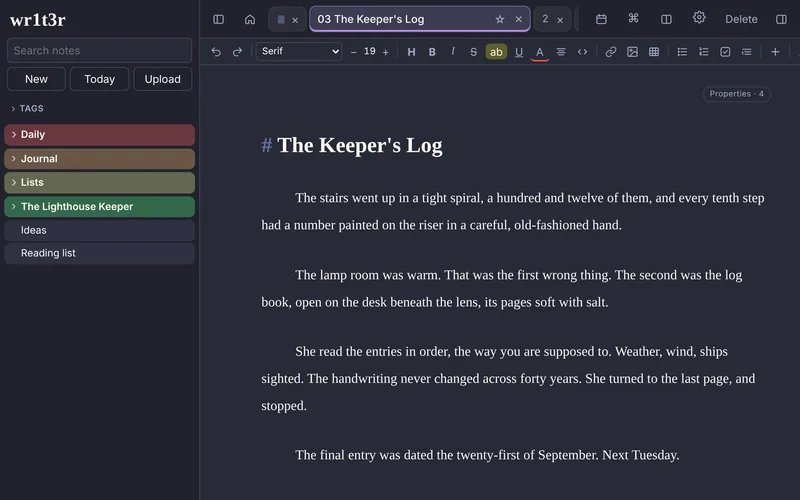
Pick the colors you like writing in. Each theme sets the page, the folders in the sidebar and your tag colors, and follows your system's light or dark mode if you want it to.
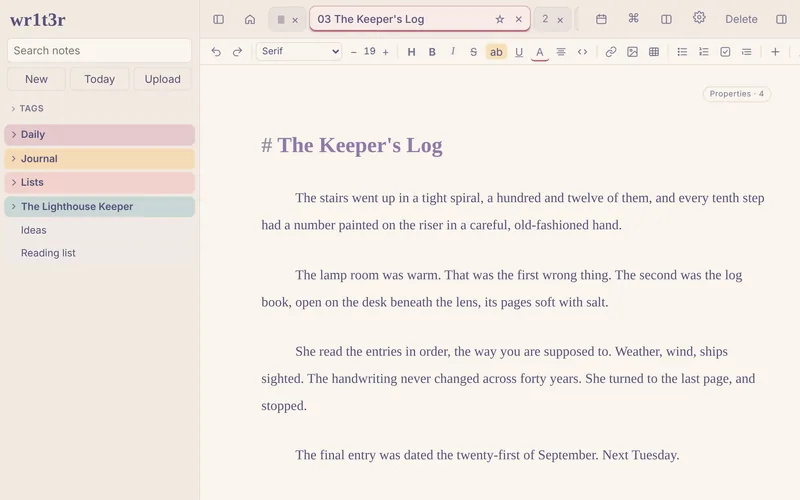
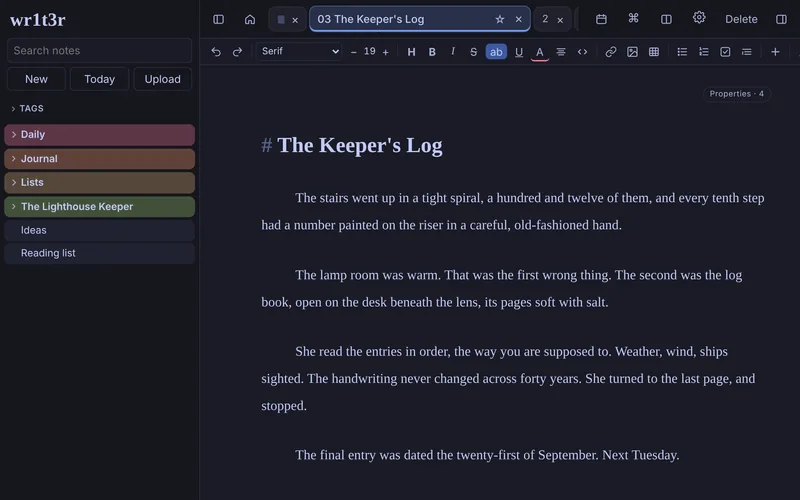
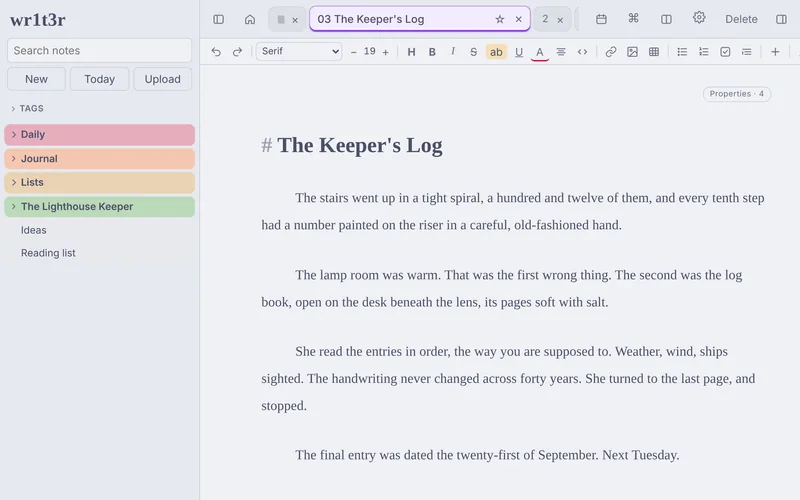
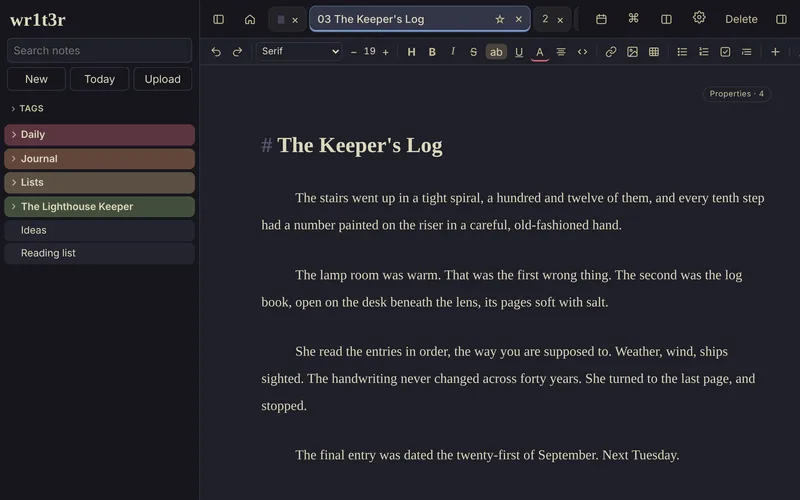
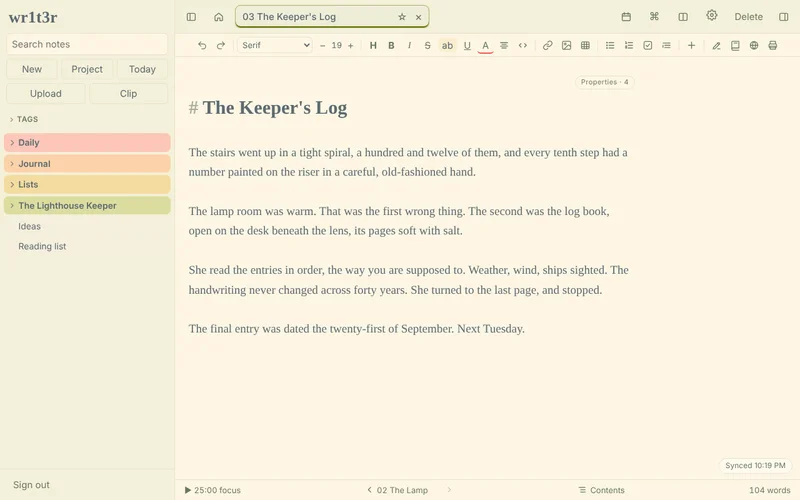
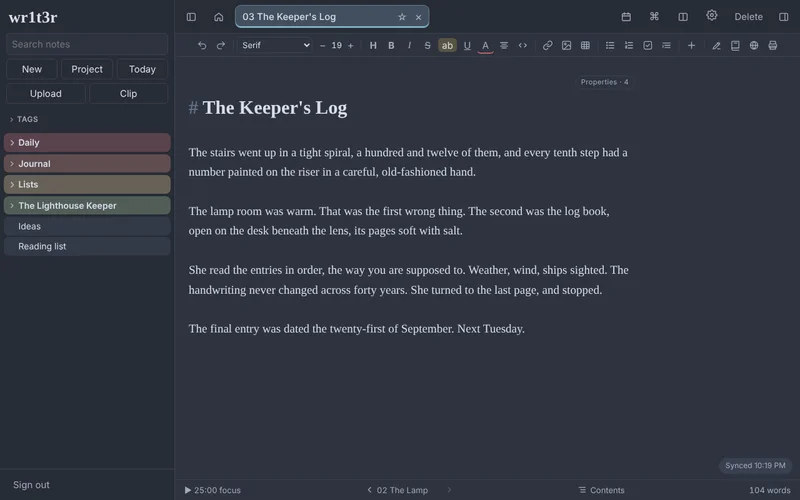
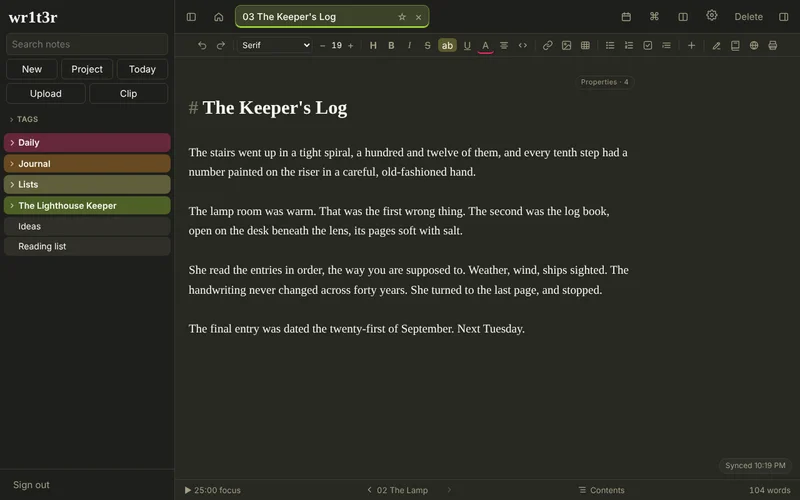
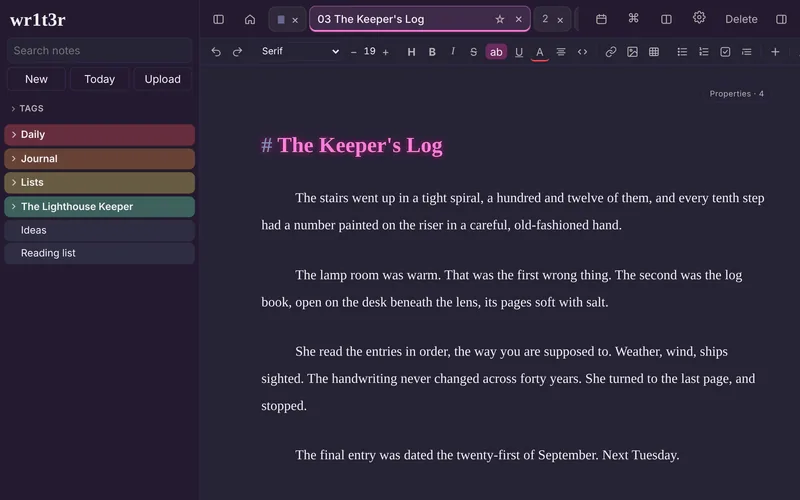
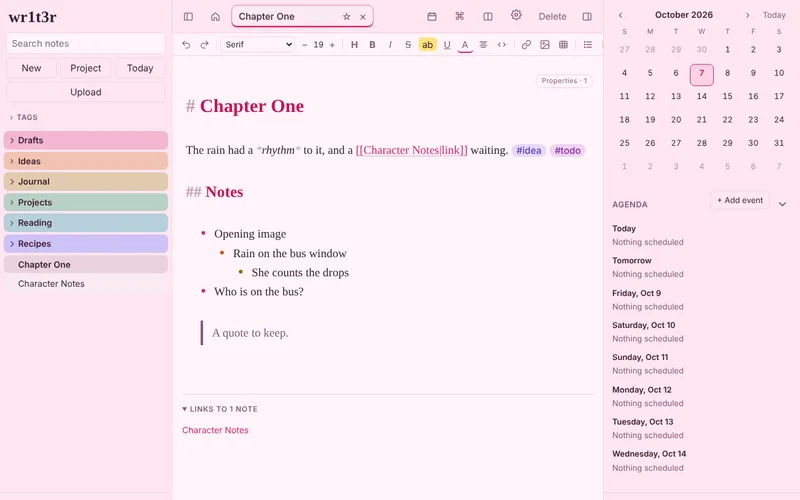
Your website wears it too
Export as website starts with your theme, or pick another one for the site. Light and dark switch with each visitor's settings.
Also in the box
- Boards for tracking anything in columns, with totals.
- Book, film and TV logs that look up the title and fill in the details, with charts of what you've finished and a StoryGraph import.
- Templates for new notes, daily notes and logs.
- Version history for every note, with a side-by-side compare.
- Search inside pictures and PDFs, read on your device.
- Turn off what you don't use. Settings > Features hides whole parts of the app.
Your notes are yours
wr1t3r has no server holding your notes and no account to make. You sign in with Dropbox, and wr1t3r reads and writes only its own folder there (Apps/wr1t3r). The files are ordinary Markdown: open them in any text editor, back them up however you like, or stop using wr1t3r tomorrow and keep everything.
Pricing
$20 once
- Free for 14 days on each device, no card needed
- One license key for up to 5 of your devices
- Updates included
- No subscription
After you buy, your license key arrives by email. Paste it into Settings > License. Payments are handled by Lemon Squeezy.
Questions
Do I need a Dropbox account?
Yes. A free Dropbox account is plenty for text notes. wr1t3r only gets access to its own app folder, not the rest of your Dropbox.
Does it work offline?
Yes. Once wr1t3r has opened on a device, your notes are kept there too. Edits made offline sync the next time you're connected. If the same note was changed in two places, wr1t3r keeps both copies rather than losing either.
What happens when the trial ends?
wr1t3r asks for a license key. Your notes stay in your Dropbox the whole time, readable by any text editor, whether you buy or not.
Is there support?
Yes. Email me at hello@wr1t3r.app with questions about how features work, bugs you experience, or your license/billing. I'm a librarian by day, so I'm happy to help where I can. I make wr1t3r myself and use it every day, so problems get fixed and fixes reach your copy on their own. wr1t3r ships as a complete product rather than on a long road map; new features may land as I think of them, and ideas are always welcome, but new features aren't promised.
Do I need a web host to publish?
Only somewhere to upload the .zip. A free Neocities site works: unzip it and drag the files into Neocities' uploader. Free Neocities accounts don't take audio or video files, so wr1t3r leaves those out unless you ask for them.
Can I get a refund?
Try it free first. If it isn't working out after you buy, ask within 30 days for a full refund.